Value Matrix
- You are using MS7 or CR (as the version at the time of writing does not have a value matrix object endpoint available)
- You use value matrix on any of your accounting rules
Database View
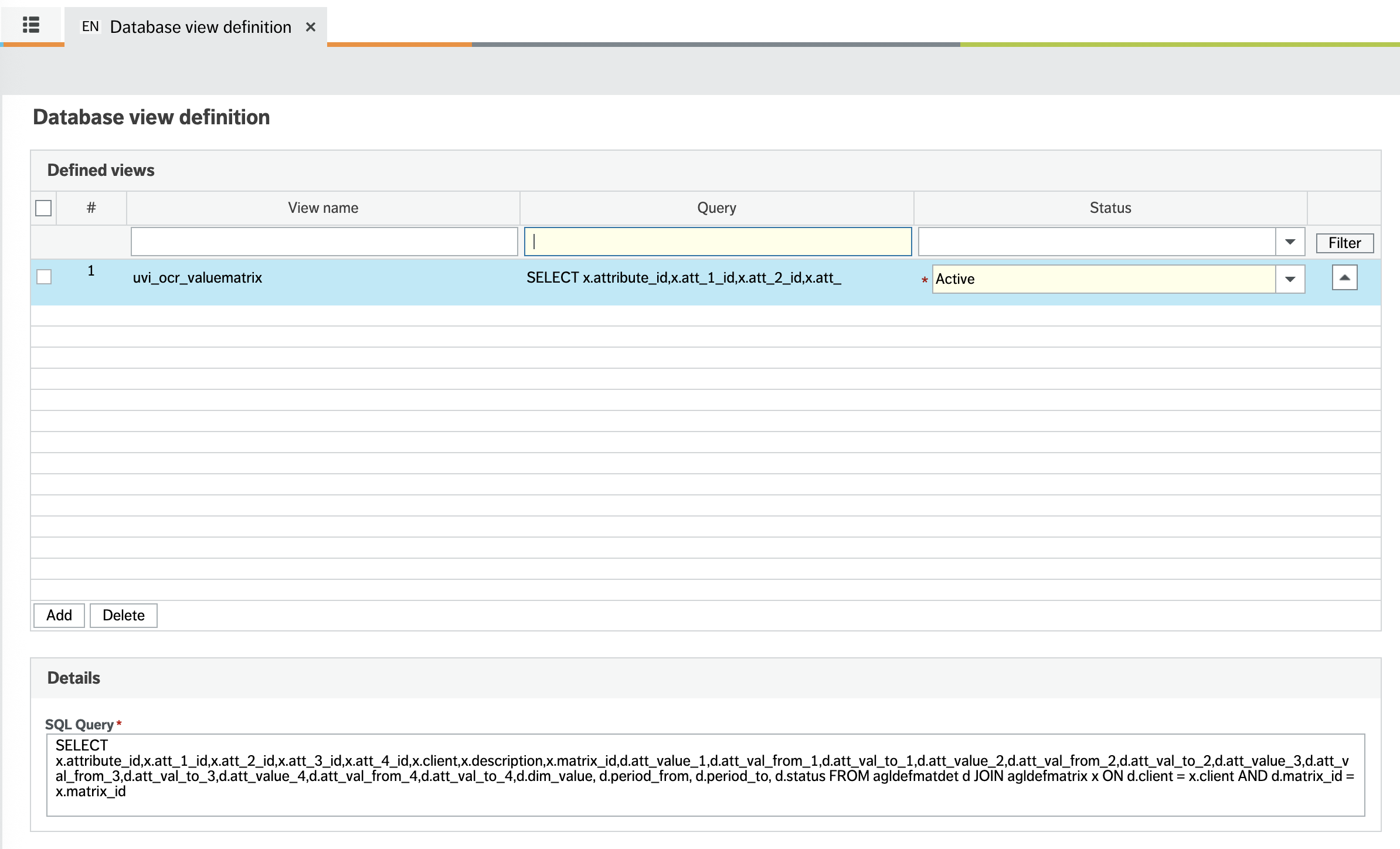
The first step is to configure a database view which will create the information required about the value matrix.
You should do this in the database view definition in unit4 desktop or web with the following code, the name of the view does not matter at this point.
SELECT x.attribute_id,x.att_1_id,x.att_2_id,x.att_3_id,x.att_4_id,x.client,x.description,x.matrix_id,d.att_value_1,d.att_val_from_1,d.att_val_to_1,d.att_value_2,d.att_val_from_2,d.att_val_to_2,d.att_value_3,d.att_val_from_3,d.att_val_to_3,d.att_value_4,d.att_val_from_4,d.att_val_to_4,d.dim_value, d.period_from, d.period_to, d.status FROM agldefmatdet d JOIN agldefmatrix x ON d.client = x.client AND d.matrix_id = x.matrix_id
User Defined Table Definition
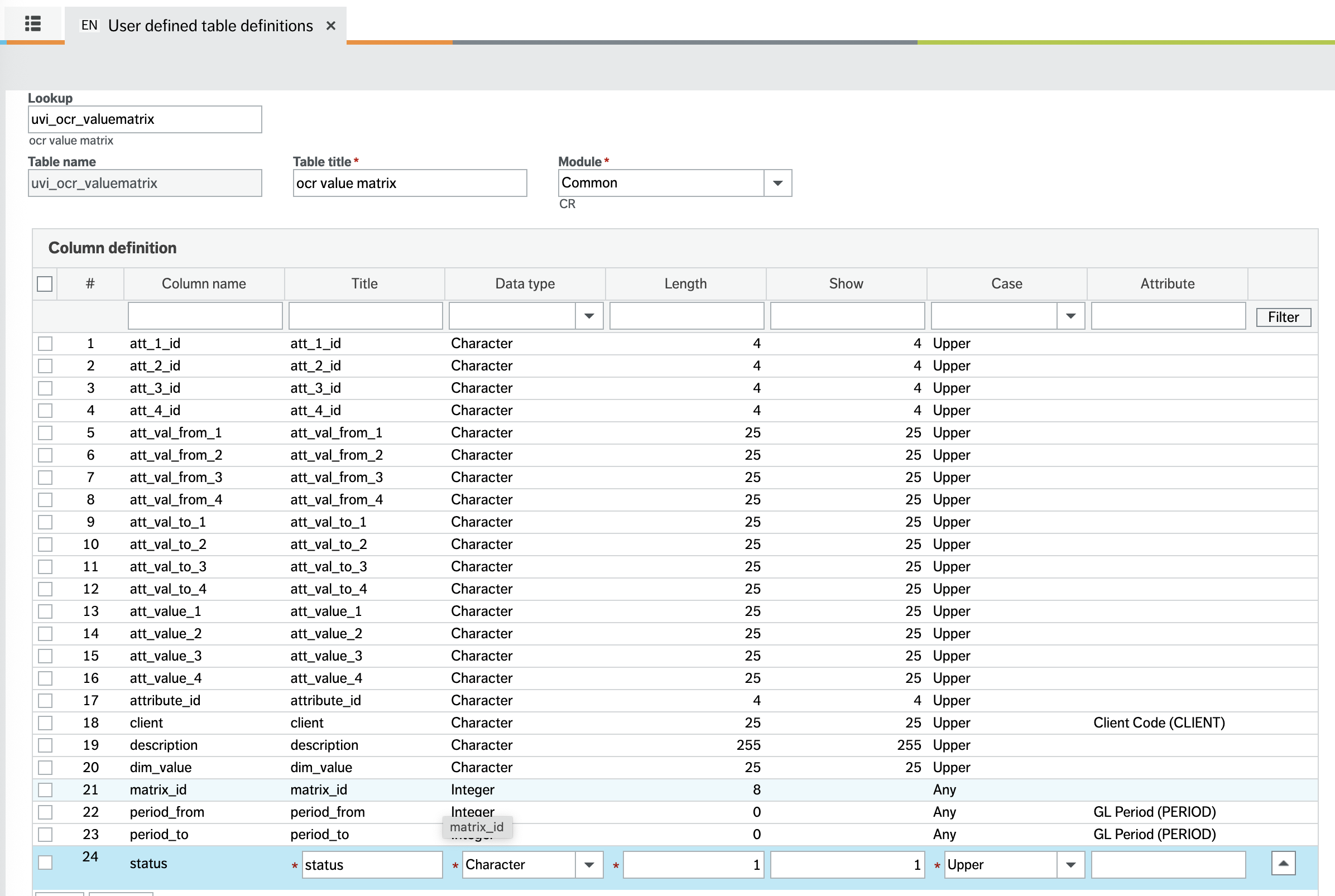
You then need to tell the ERP system what this table is with table and column definitions (again in web or desktop is fine).
The module and able name do not matter but the column names should be exactly as below
Object Definition
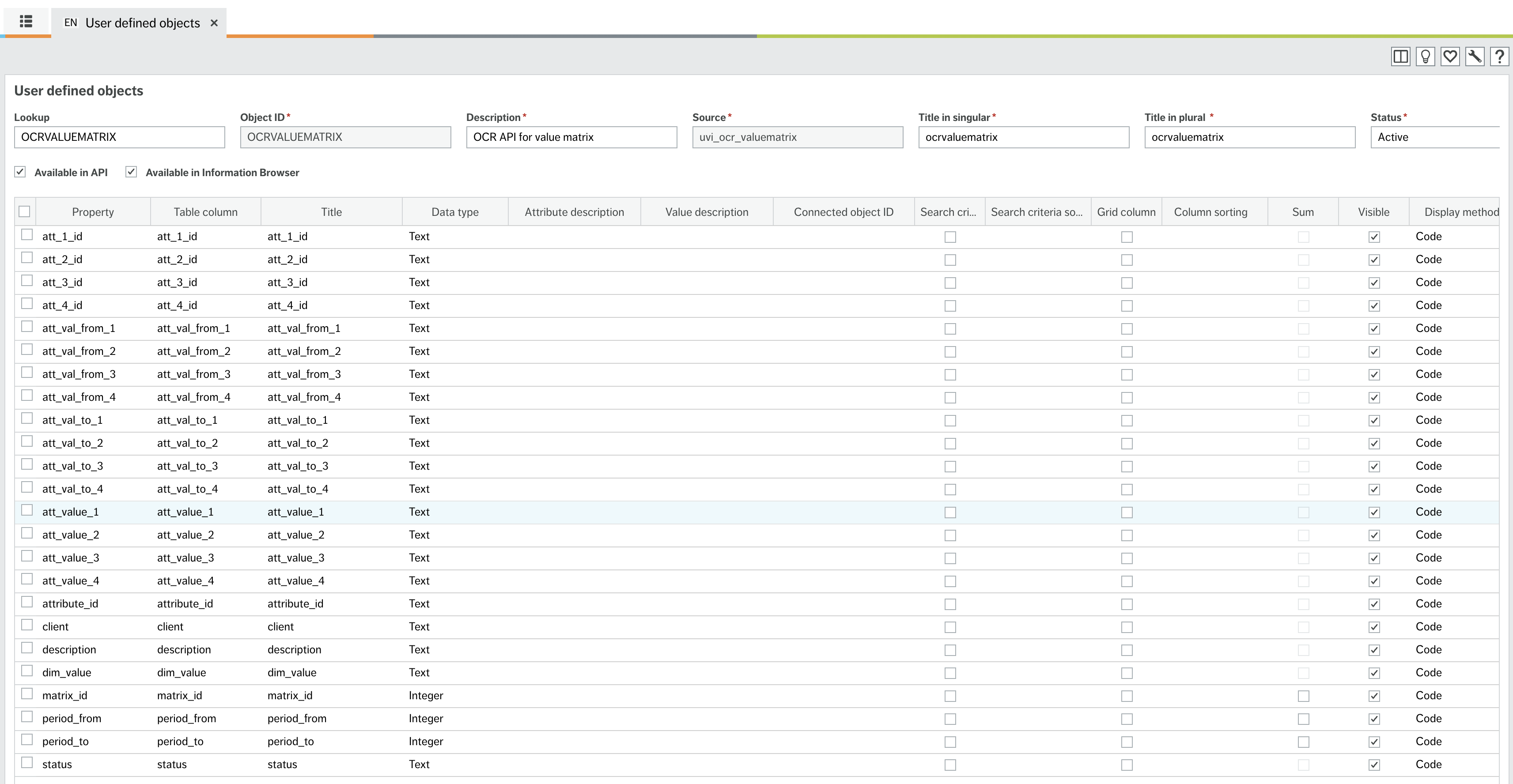
The object MUST be defined exactly as below to allow our code to read it, this can only be done in web by default.
This includes the name ocrvaluematrix NOTE Our system looks for the object name ocrvaluematrixs, it is likely that ERP will pluralise (add the s) this for you on the api endpoint
Note depending on your version, the system may or may not display companies in the connected object id column and either is fine.
You must make sure the object id and both titles match below and that the "available in api" box is checked.
The object may not immediately appear in the API, we have noted that it can take an iisreset (often scheduled overnight) or "an amount of time" before unit4 clears the cache which lists the available REST endpoints
User Access
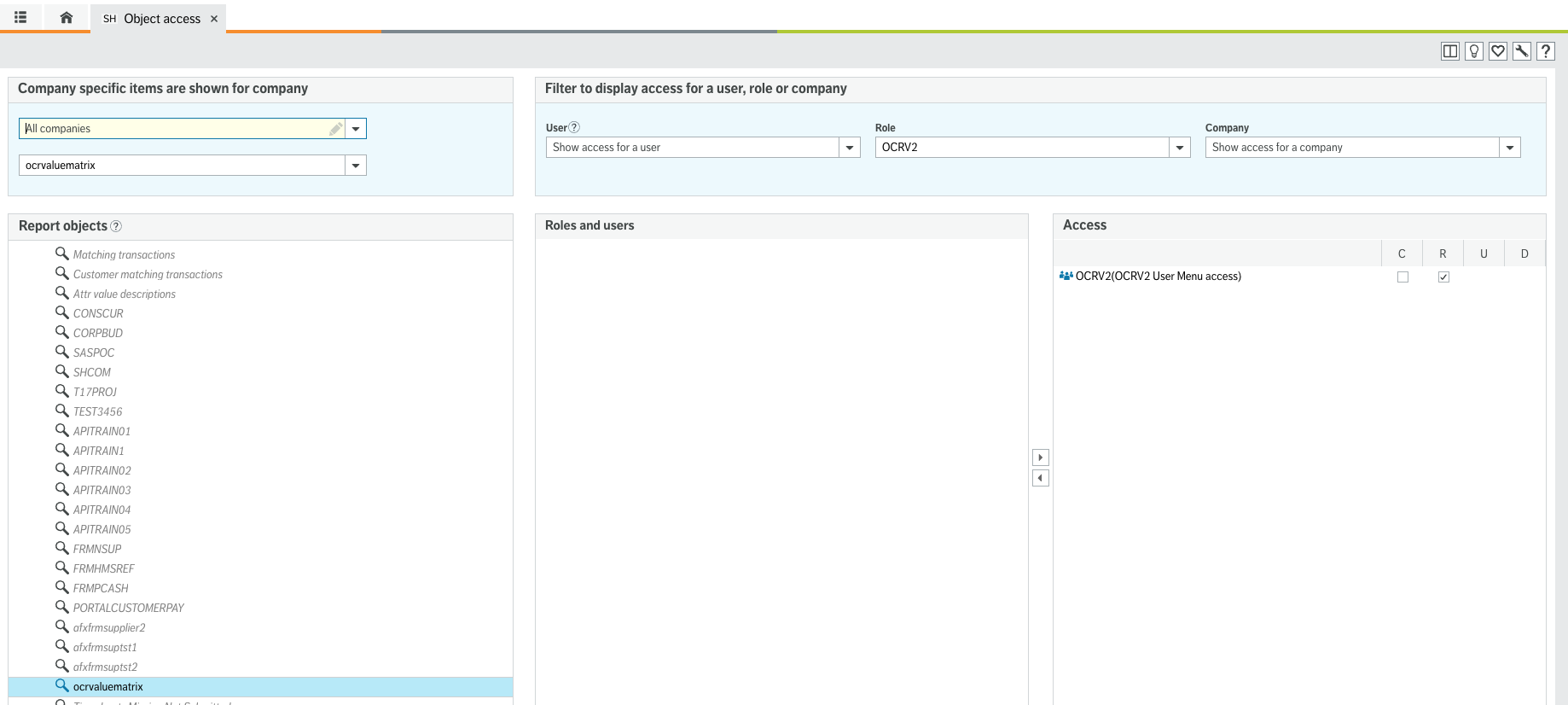
You should then apply menu access to this object for your user in the same way as the other objects in the permissions section
Note if the object does not show up in the object access screen you may need to clear your Unit4 cache.