Document Type
You may set up one or many document types for the input documents, this can be defaulted and / or selectable in the OCR screen.
The details for this will need to be included in your rossum extension configuration
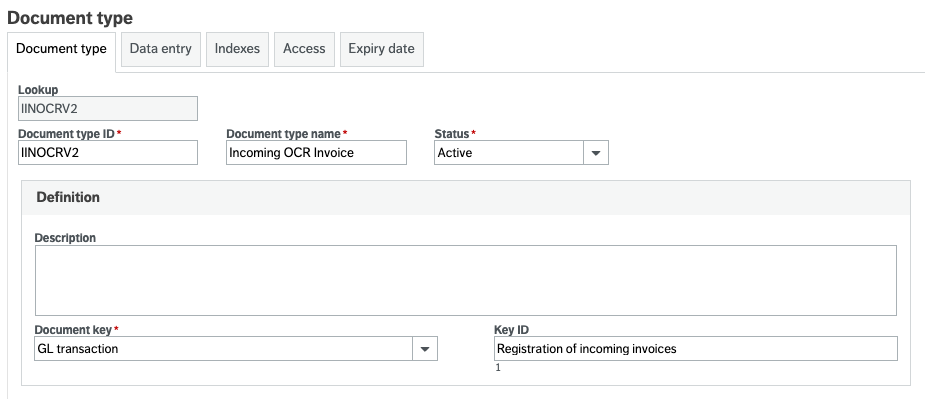
The document should be linked to the document key of "GL Transaction" and the Key ID of Incoming invoices (type 1)
You do not need to fill in the data entry tab, however if you are using an existing document type which has this filled in then this is OK.
All other settings should be configured per your requirements, noting the indexes section below.
Indexes
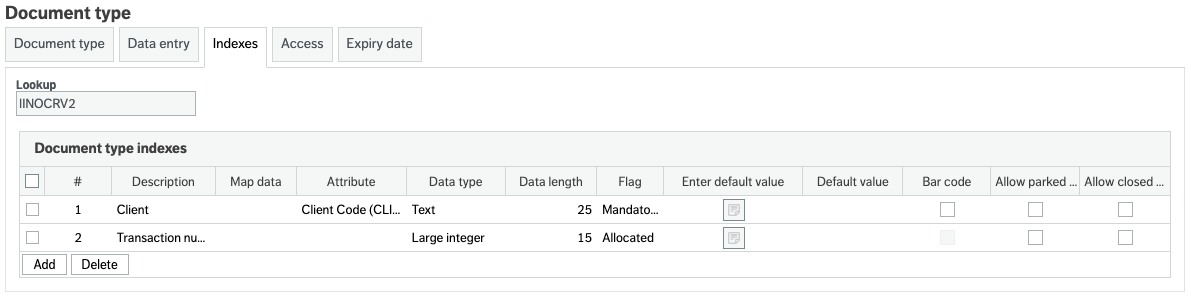
Please note that the OCR will not pass additional indexes to the document so client should be index1 and transaction number should be index 2.
Any further indexes should not be mandatory as these will not be send with the document.