Purchase Orders
Automated Search
The system will try and automatically find a Purchase Order from ERP to match to the data from the invoice.
Out of the box the system will filter purchase orders based on the header status with the filter status NOT IN (N, P, T), although this filter can now be configured using the validPOStatus extension config
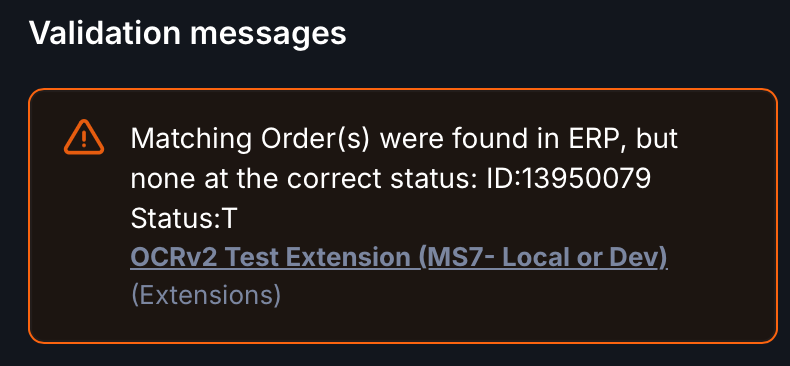
The user will be presented with a warning message if a purchase order (or orders) are found by the OCR, but not matched on the correct status:
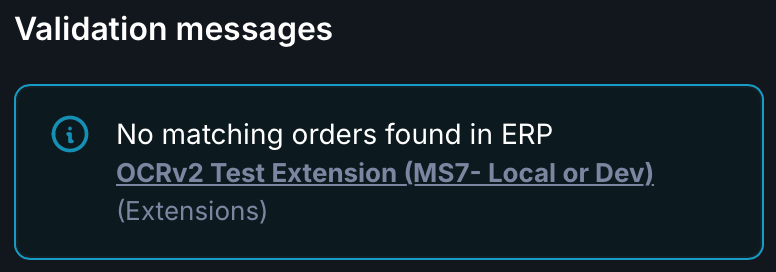
If a matching order number was extracted by the OCR but not found at all in ERP then an information message will be displayed:
No PO No Pay
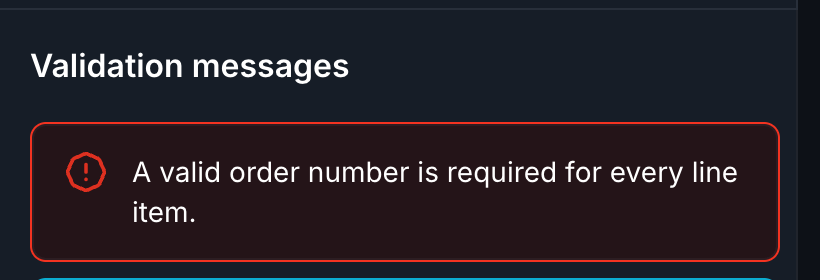
Note, if your supplier has been flagged as requiring a purchase order via the noPurchaseOrder setting, an error will be shown if no PO is on the invoice.
Purchase Order Information
To enable you to see purchase order information in the same screen as the invoice, we have implemented the Purchase Order Details section in the document screen which will load up the order line information for the order found on the invoice.

Order Matching
Wherever possible the system will match an invoice to a valid purchase order and the individual invoice lines to purchase order lines.
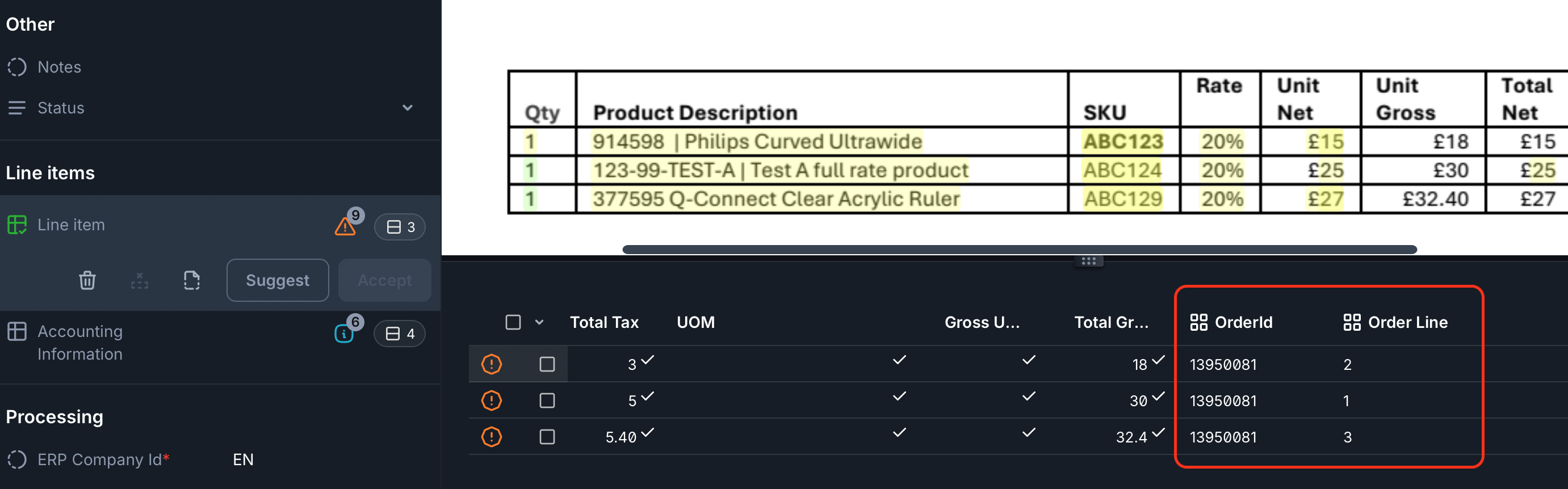
Where the order_id is in the extracted header field AND that order has been found in ERP (if it is not then an IN_007 message is raised), the order number will appear in the UI against all invoice lines, regardless if the line has been matched to an order or not.
This is intended to make switching between order-lines (positive integers) and additional lines (negative integers) as easy as possible in the UI.
These order-ids are only a visual reflection of the header and we use the positive / negative indicator on the line number to determine the order-id when importing to Unit4 ERP, ERP will always infer the order from the header field.
You will be able to see where lines have been matched in the Line Items section on the document screen.
To remove the order_id from the lines, either the order should be removed from the header field which will remove the order_id from all lines, or each line should be put into manual mode.
Forcing Single Line PO Matching
The extension setting singleLineMatch can be used to force single line purchase order matching at the queue level.
If set to "force", for orders where there is only one line on the order (at any status) the system will automatically match ALL invoice lines to that one order line.
Extra Lines
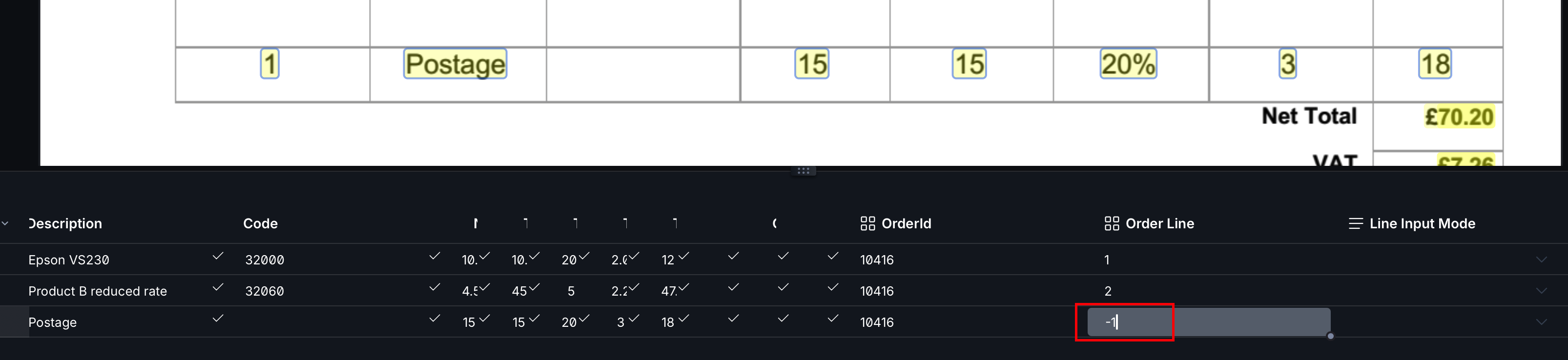
Additional invoice lines that are not matched to any purchase order line are shown with a negative order line number (for example, -1)
Please note that these additional invoice lines must be provided with account coding either:
- for ERP7, the account code can be defaulted in by the system parameter EI_SUPP_DEF_ACCOUNT (note you will need to grant access to the system parameters object)
- by the use of defaults in the extension settings
- manually
However, how that data is treated on import to ERP will depend on the underlying system:
- ERP7 - The coding will be overwritten on import by the EI parameters (please refer to Unit4 documentation for more information)
- ERPx - The coding of additional lines will be respected when sent to the system.
Overriding line number matching
To match an invoice line to an order line, simply enter the order line number on the invoice line.
Note once the line number has been overridden in this way, the extension will no longer attempt to automatically match that line, and will treat the input as always correct.
Exception On occasion the Rossum system does not tell us that the line change was a typed override and therefore the change may be reverted. In this case, please utilise the line input mode (explained below)
Line Input Mode
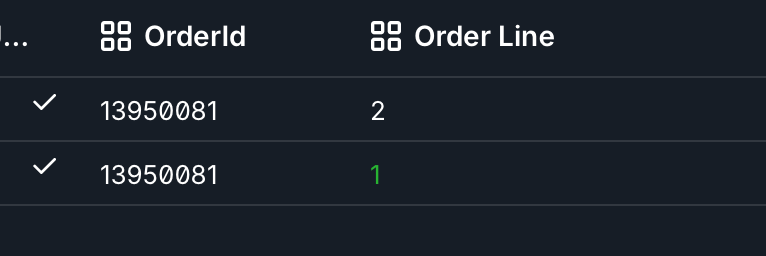
On occasion you may find that the automated line-matcher overwrites input data making adjustments to line details more awkward. For this reason we have allowed for lines being entered in "manual mode". This can be set using the "Line Input Mode" dropdown in the UI. When this is set to "manual" no automated input at all will be attempted on this line, so be sure that the details entered are correct.
We will still attempt to infer line values for balancing checks (such as gross unit value or tax amount) if the values are incomplete, however these will not be written back to the line.
For example, given the net unit, total net, tax, total gross and quantity we will infer the gross unit amount to avoid needing to key in tedious amounts of data which can be easily calculated.

Matching Errors / Warnings
Manually overriding with a line which doesn't exist
If you manually add a (positive) line number which does not exist on the purchase order, the system will display a PO_005 error message which must be corrected before confirming.
If you manually add a (positive) line number and no line order number, the system will display a PO_009 error message which must be corrected before confirming.

Unmatched lines warning
If the system finds a purchase order but is not able to match a line, that line will be flagged with a negative line number and a PO_008 warning message, please note this message can be elevated to an error.
