Coding
It is completely optional but you may provide the account coding for invoices in Rossum before sending the data to Unit4.
Coding is ONLY available for non purchase order invoices and extra lines on purchase orders (although for ERP7 the extra lines will inherit default coding from the EI parameters). You are still able to see the coding rows from Unit4, just not amend it.
This is because on a purchase order invoice, the EI02 will just overwrite any coding given to it, with the coding from the PO.
Rather than coding in the screen, you may choose to set up some default coding and use a "dummy" account which you can then route in workflow for coding in a proper Unit4 screen.
Coding menu
The Account Coding section can be found under the line items section:
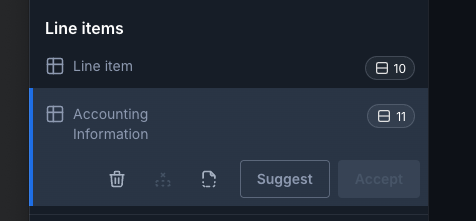
When you select this, the coding rows will be shown in the same order as the lines on the invoice.
You will notice that there is one additional line for the AP line coding. You will also see in this case we have a dummy default account code being filled in for us.
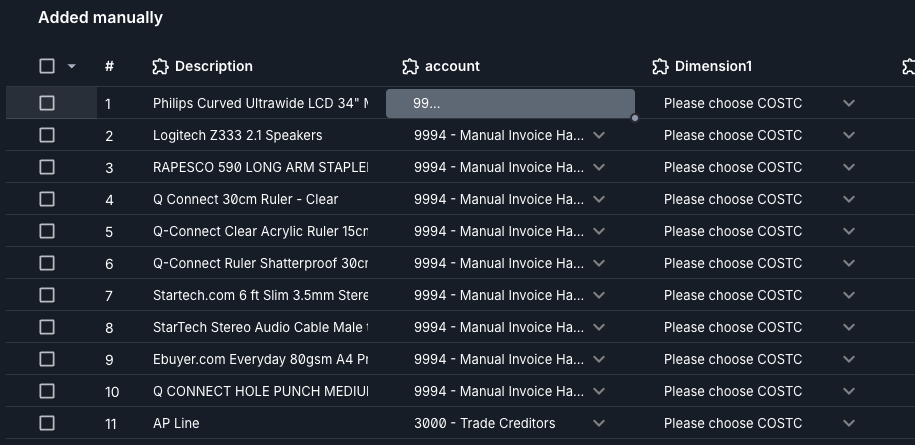
The coding has been set up to use the same rules and defaults as Unit4.
This means when you change some data, for example add an account code, you may want to give the extension a moment to refresh the data from Unit4.
When the validation button has stoppped spinning, the coding information will be updated and you will see we now have a mandatory work order box:

Copying coding down
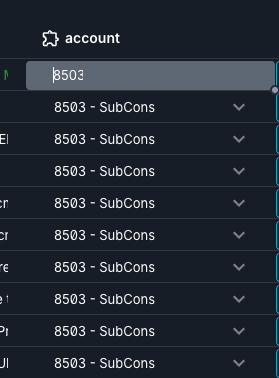
One tip is if you want to apply the same piece of data to every row in a column then select the top cell, it should go grey and give you a little handle "dot" on the bottom right, this can then be dragged down to fill the data on other rows.